
Topping up your Age Care Savings is quick and secure, and gives you flexibility to pay for work when you need it.
You might choose to top up if:
- You would like to pay for a one-off handyman visit
- You want to save money away for future jobs or a rainy day
- We have provided a quote and asked you to top up so there is enough in your savings to cover the work
Your money always stays yours, unless you choose to spend it on a service, and can be used whenever you need our services.
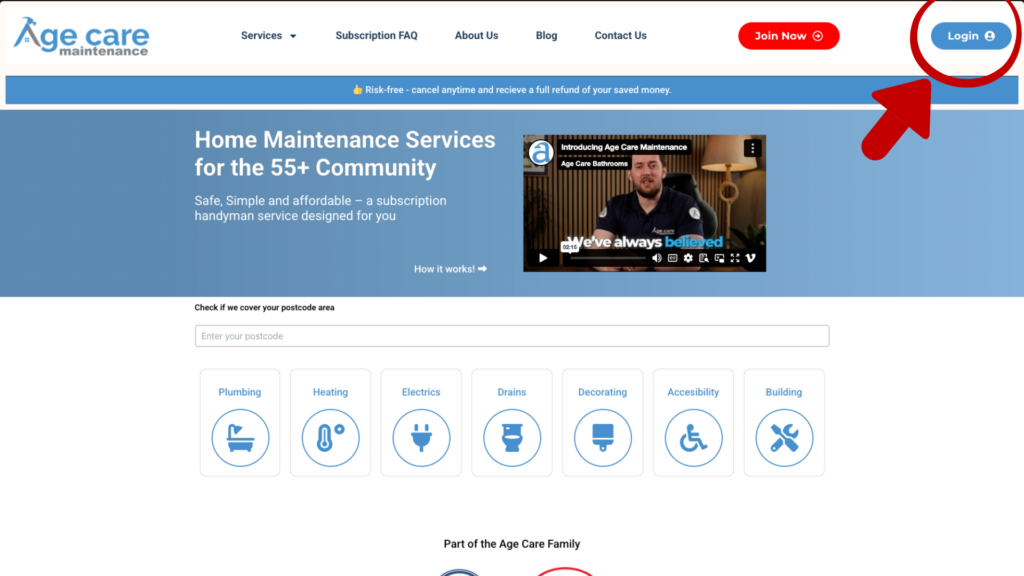
Step 1: Log in to your account #
Head to the Age Care Maintenance website and click Login in the top right corner of the page.
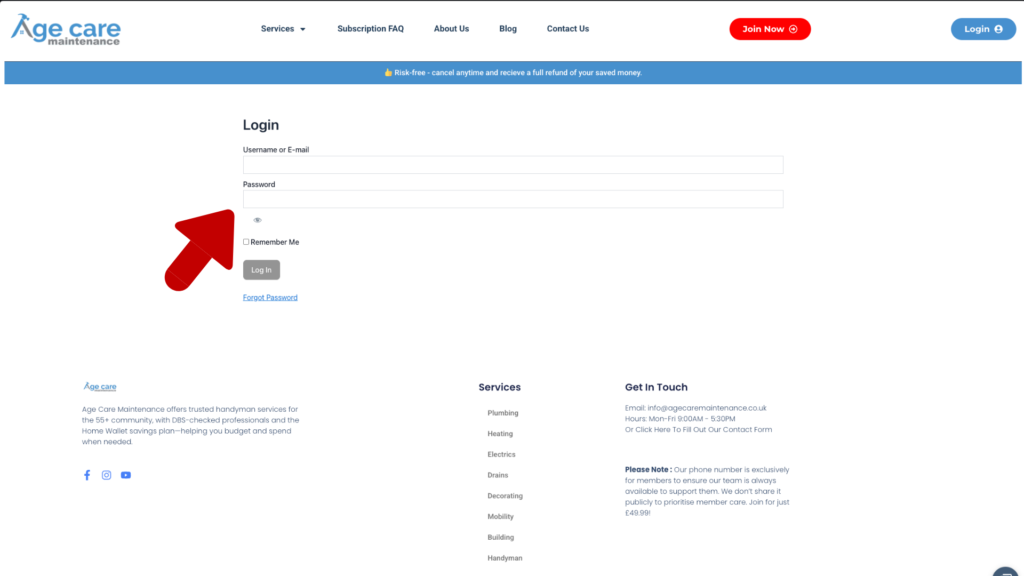
Enter your email address and password to access your account.
Step 2: Go to your dashboard #
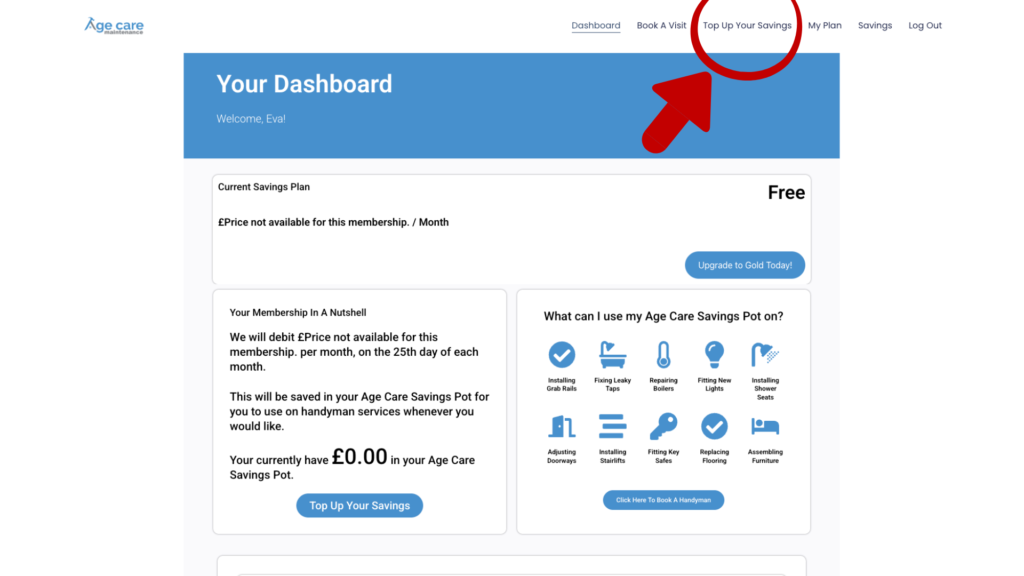
Once logged in, you will be taken to your dashboard. This gives you an overview of your plan and your current savings balance.
From the menu at the top, click Top Up Your Savings.
Step 3: Enter the amount you would like to add #
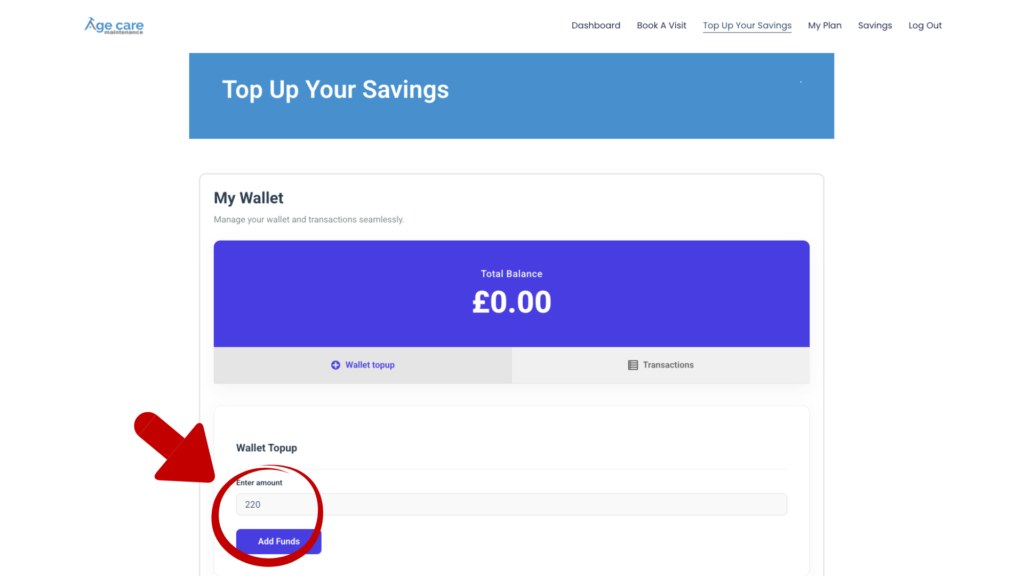
You will now see your wallet page showing your current balance.
In the Enter amount box, type in how much you would like to top up.
This can be any amount you choose, depending on what you would like to use it for.
When you are ready, click Add Funds.
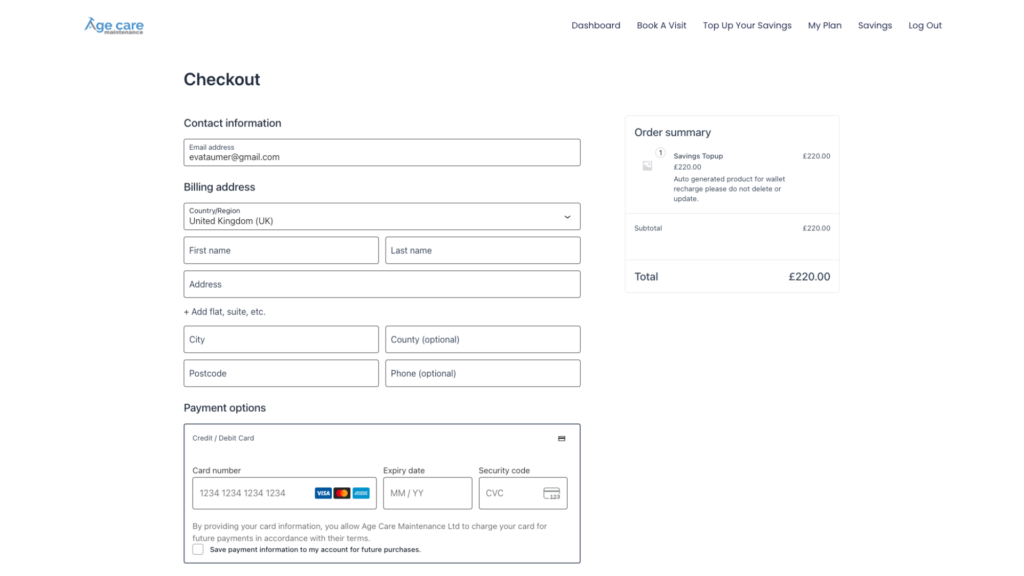
Step 4: Complete the checkout #
You will be taken to a secure checkout page.
Here you will:
- Confirm your email address
- Add your billing details
- Enter your card details
You will also see a clear order summary showing the top up amount.
Once everything looks correct, complete the payment as normal.
Step 5: Your savings are ready to use #
After payment, the funds will be added to your Age Care Savings straight away.
You can now:
- Book a handyman visit
- Use the balance to cover a quoted job
- Leave the money in your savings for future use
There are no expiry dates, and you can top up again at any time.


